You write things down and still forget them. You take the notebook to the doctor’s but can’t find the right note. Care Diary replaces that chaos with a free app that fits into your day. Not the other way round.
Many people start with a notebook. That works for a few days. Then it gets messy, days go missing, and at the doctor’s the notebook is at home.
You’re in the kitchen, you’ve just helped with washing, dressing and medication. Tell the app. 30 seconds, done, hands free.
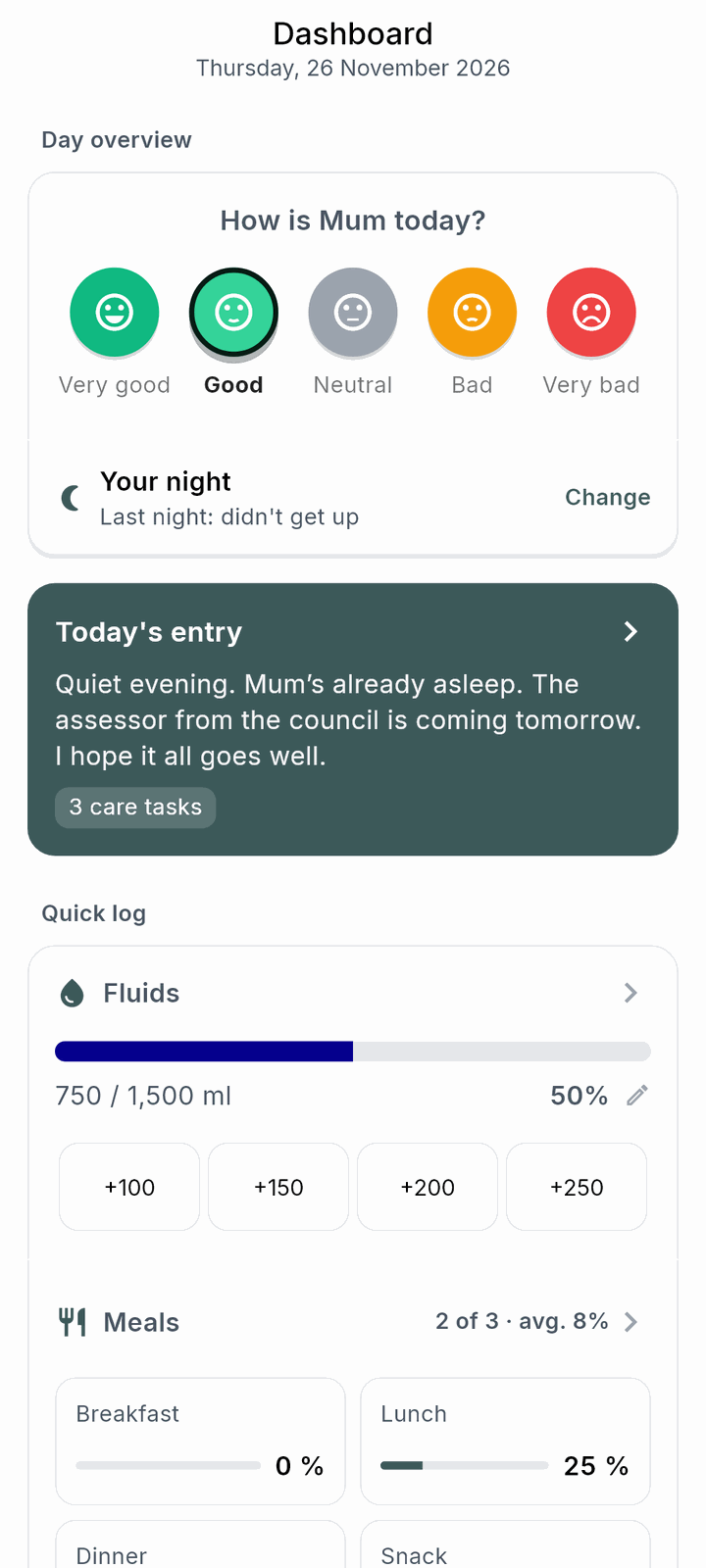
How is the person you care for? How demanding was the care today? Two taps, three seconds. After a few weeks you can see how things are going.
Washing, dressing, using the toilet: one tap. You record how much help was needed: independent, with help or full assistance. You add your own care tasks, grouped by area of care.
Name, amount, unit: right in the entry. Save regular medicines as a template, then one tap is enough. The overview shows every dose by day.
Sharing the caring with brothers or sisters? In the care circle you write in the same care diary, each from your own phone. End-to-end encrypted; people you invite don’t need their own subscription (Premium).
If you care for both your parents, you keep two separate care diaries, with their own entries, readings and PDF reports. One tap switches between them; nothing gets mixed up (Premium).
Blood pressure, blood sugar, weight, temperature, oxygen saturation, fluids and how much of each meal was eaten. No more searching through different notebooks.
When, where, how bad, what triggered it: every pain episode on a scale from 0 to 10. The doctor sees patterns instead of “it just hurts”.
The weekly summary shows what has changed: mood, vital signs, fluids, meals, pain. You don’t have to count anything.
Up to 5 photos per entry: a wound, a change in the skin, the medication plan. At the doctor’s you show it instead of explaining it.
A PDF with summary, overview of events and a clean layout. Print it and hand it to the doctor or an assessor.
No account, no tracking, no ads. Without backup or care circle, your data never leaves your phone. With these Premium features it is stored end-to-end encrypted on a server in Frankfurt.
A quick voice note in the morning, a tap for the mood in the evening. At the end of the week you have a complete report for the doctor. This is what it looks like in practice:
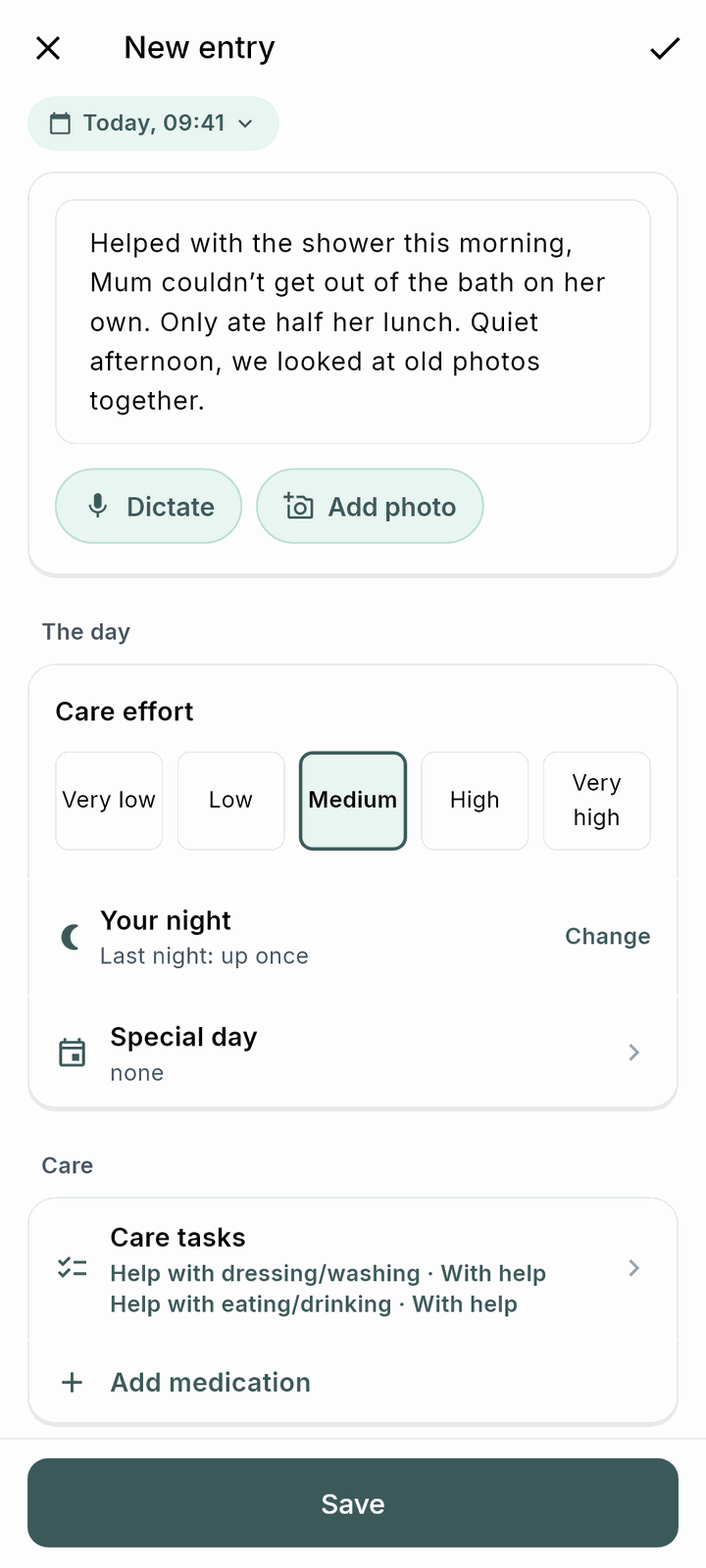
An entry in 30 seconds
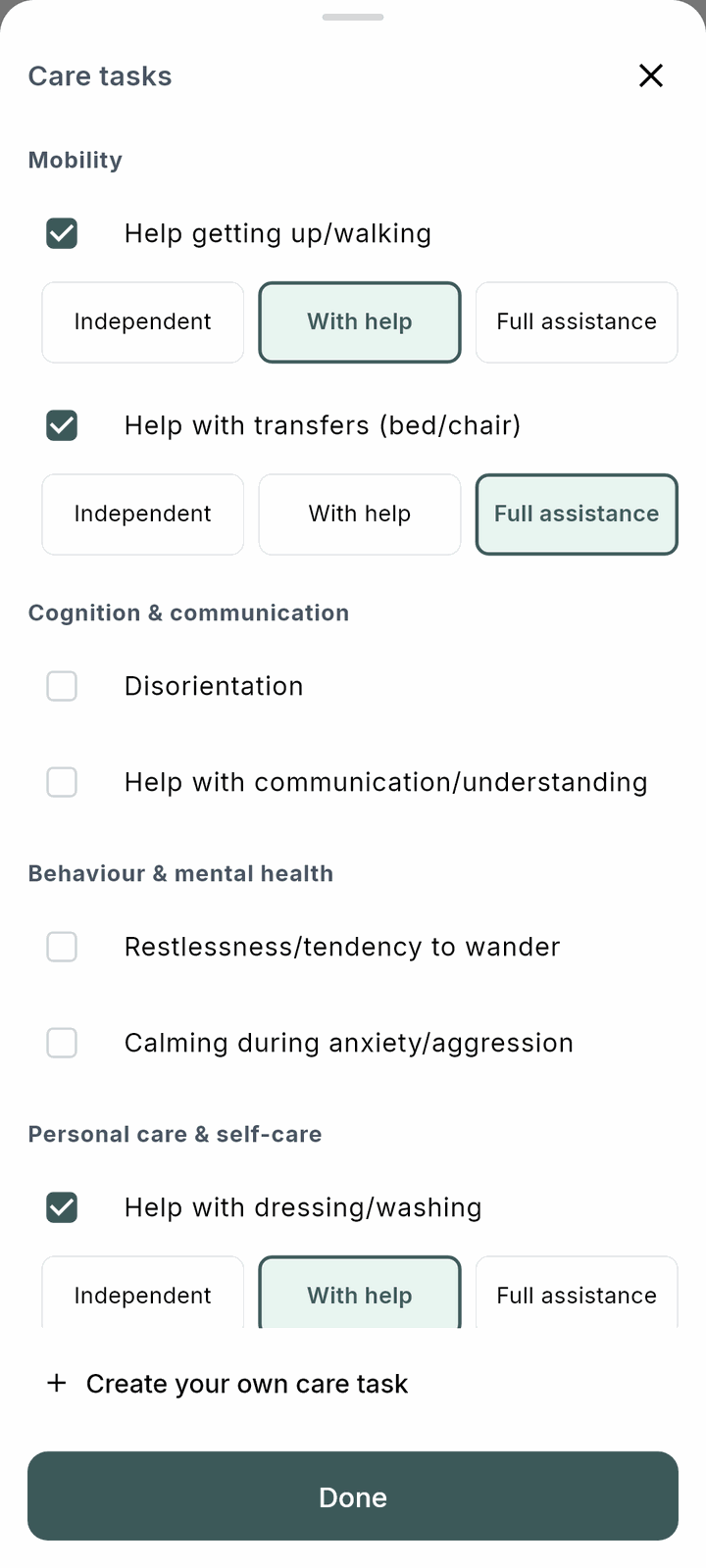
Care tasks & independence
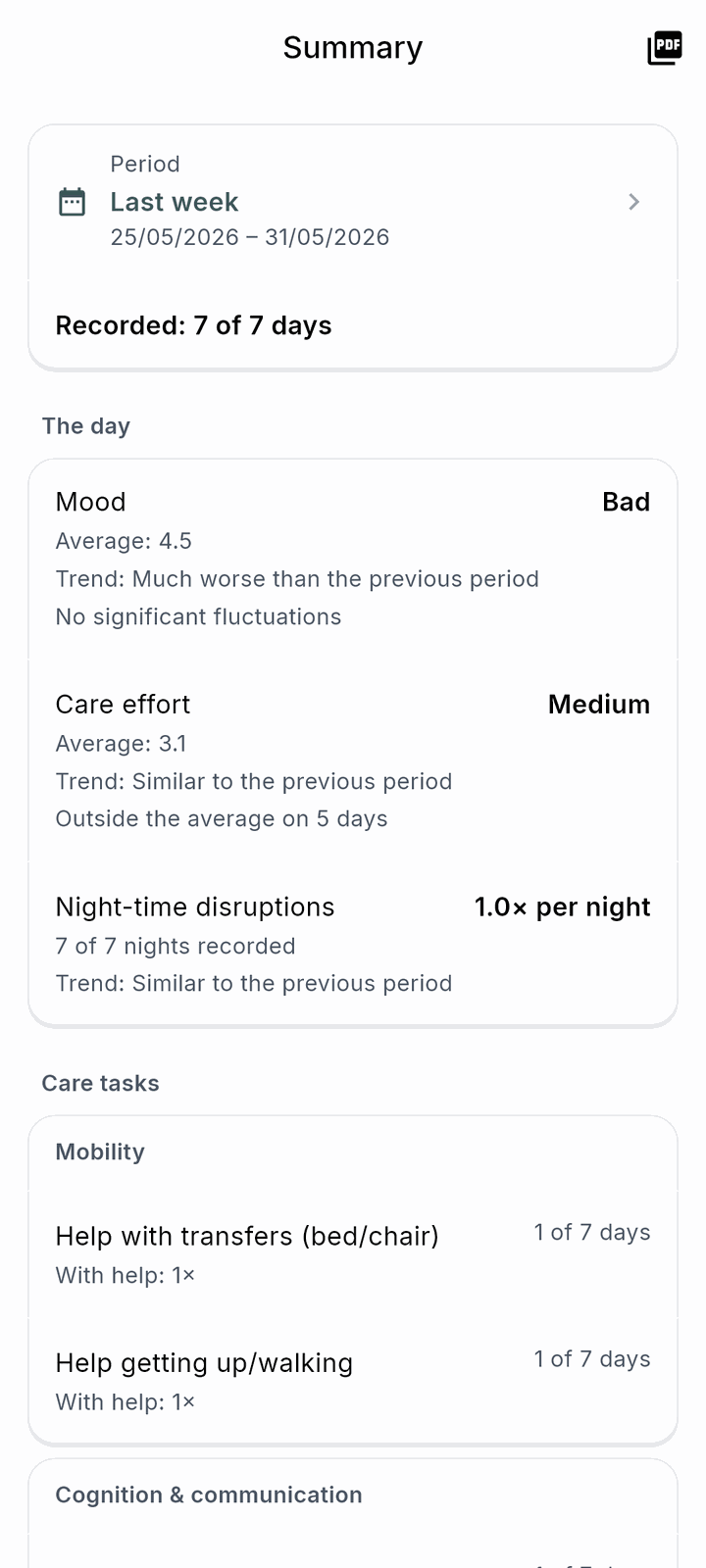
Weekly summary
Yes. All core features are free: voice input, vital signs, medication, care tasks with level of independence, weekly summary and PDF export. No ads, no account needed. For cloud backup, longer export periods, several people you care for and the care circle there’s an optional Premium subscription; you can see the current price in the App Store or on Google Play.
No. No email address, no password, no registration. Install, open, start.
Yes. All data is stored on your phone. No internet needed, neither for entries nor for the PDF export.
Yes. You can adjust the care tasks that come with the app and add your own under Settings → Customise diary → Care tasks. For each care task you record the level of independence; you’ll see it again in the weekly summary and the PDF export.
iPhone, iPad and Android. You’ll find the app in the App Store and on Google Play.
Download the app and make your first entry. You’ll never walk into a conversation without an overview again.

Free. No ads. No account.
Caring for an elderly parent means a hundred small things a day. How a simple care diary gives you the overview back, fo…
Find out more →Voice input, care tasks, vital signs, medication, fluid intake, meals, pain, care circle, weekly summary and PDF report:…
Find out more →Download Care Diary for free on iPhone and Android. Installed in a minute, no account needed, and your first entry is do…
Find out more →