Care Diary brings together everything you need to keep track of care at home: from an entry in 30 seconds to a finished PDF report for the doctor, home care staff or a care assessment. Here you can see each feature in detail.
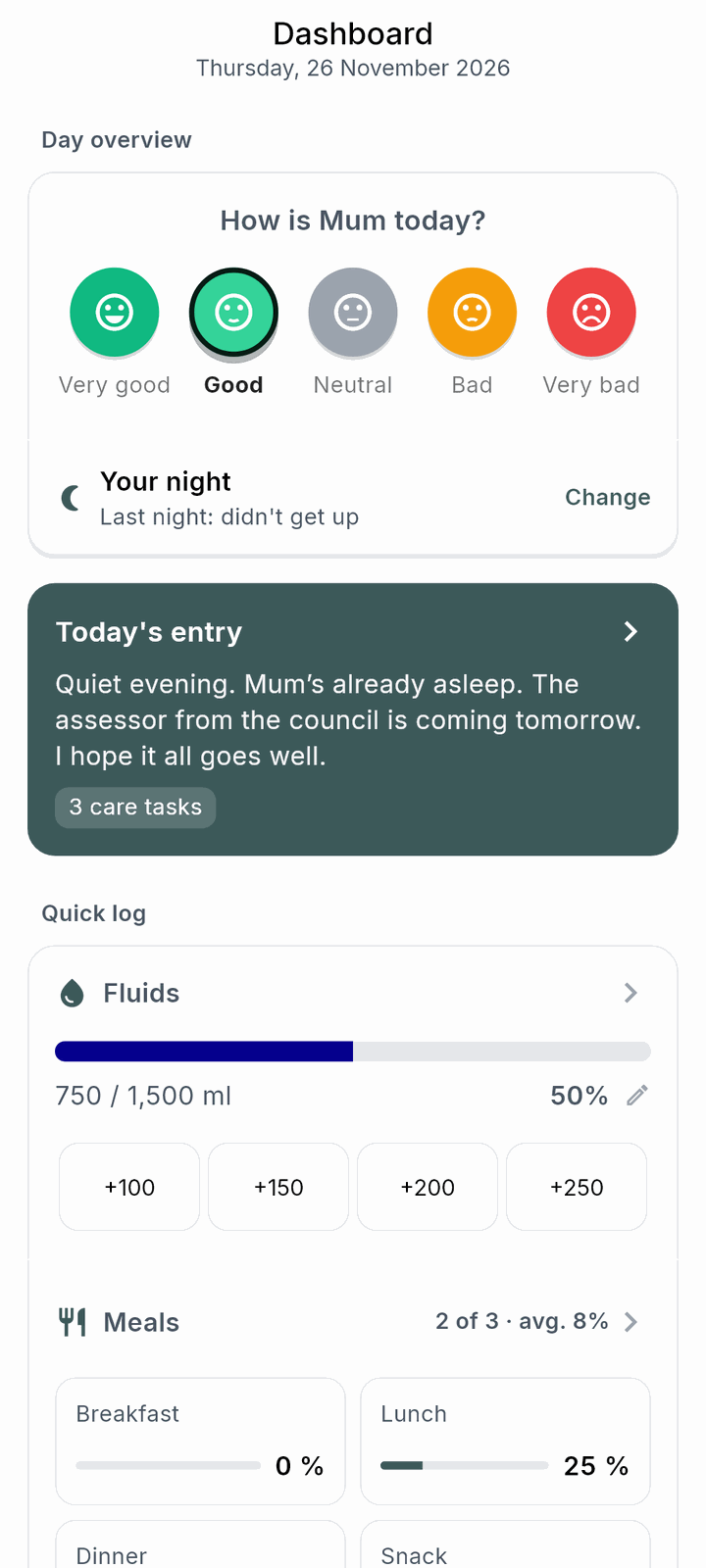
Every feature is made to fit into a busy day of caring: few taps, a clear structure, nothing compulsory.
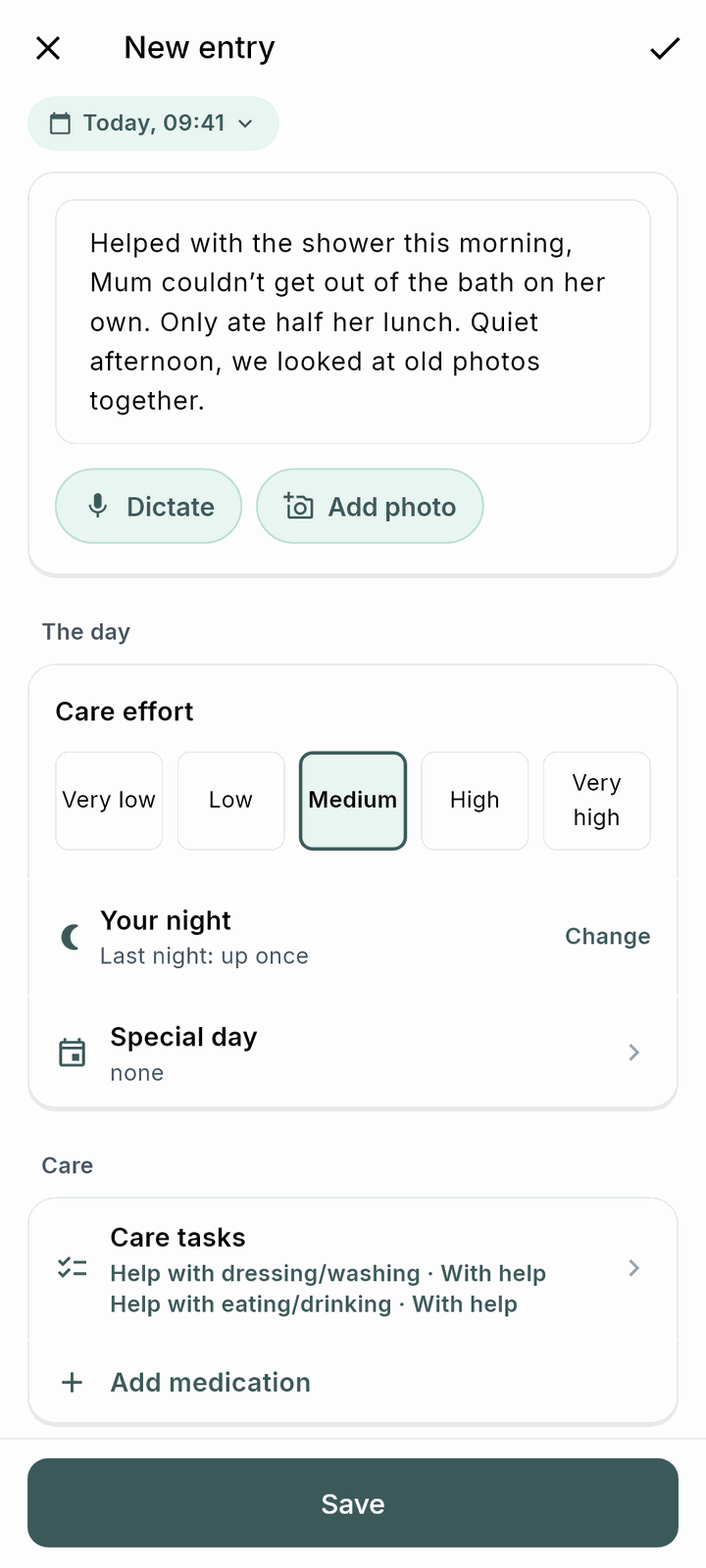
Just say what happened. The app turns it into text and adds new text instead of overwriting. Plus mood and care effort, each with one tap. How voice input works.
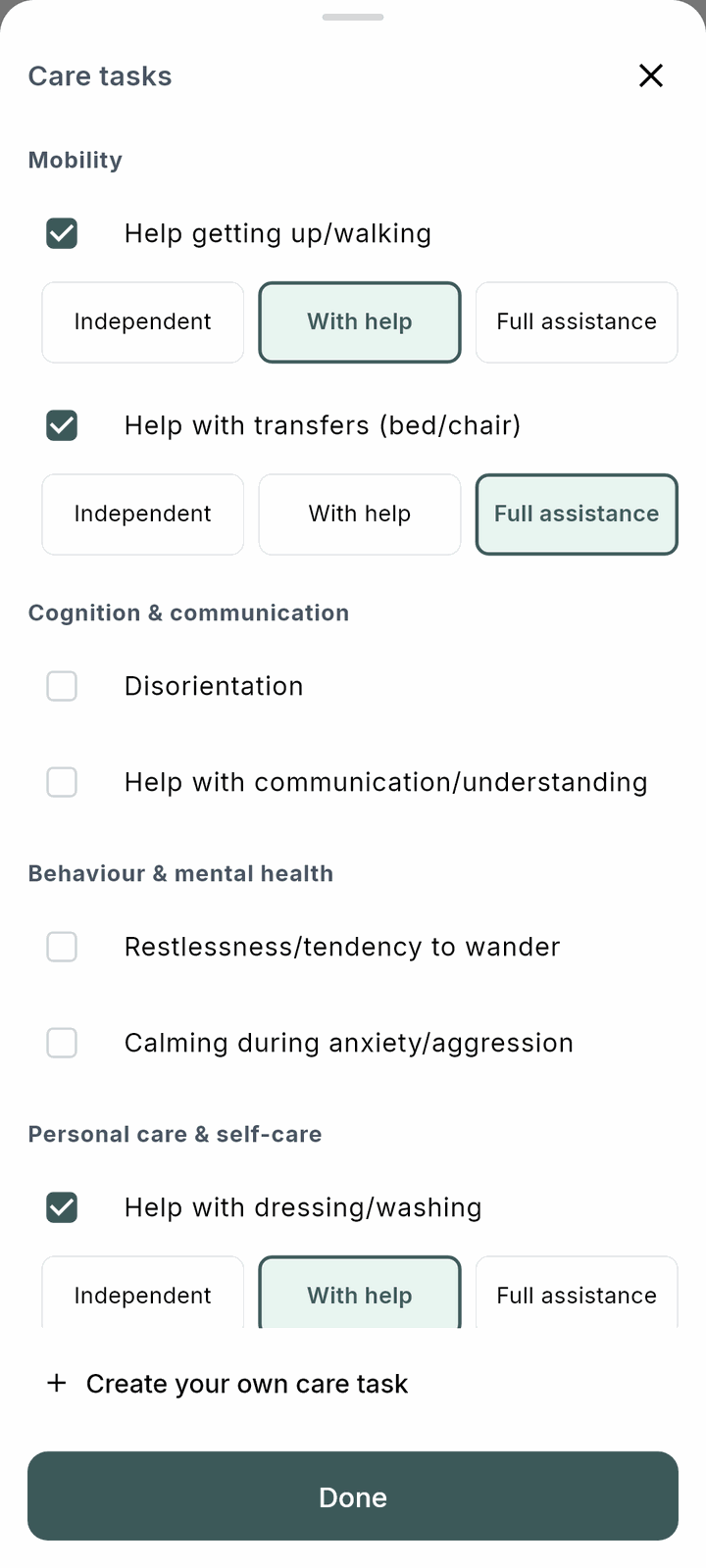
The list is grouped by area of care, from mobility to personal care. You can adjust every care task and add your own, so you record exactly what your day looks like.
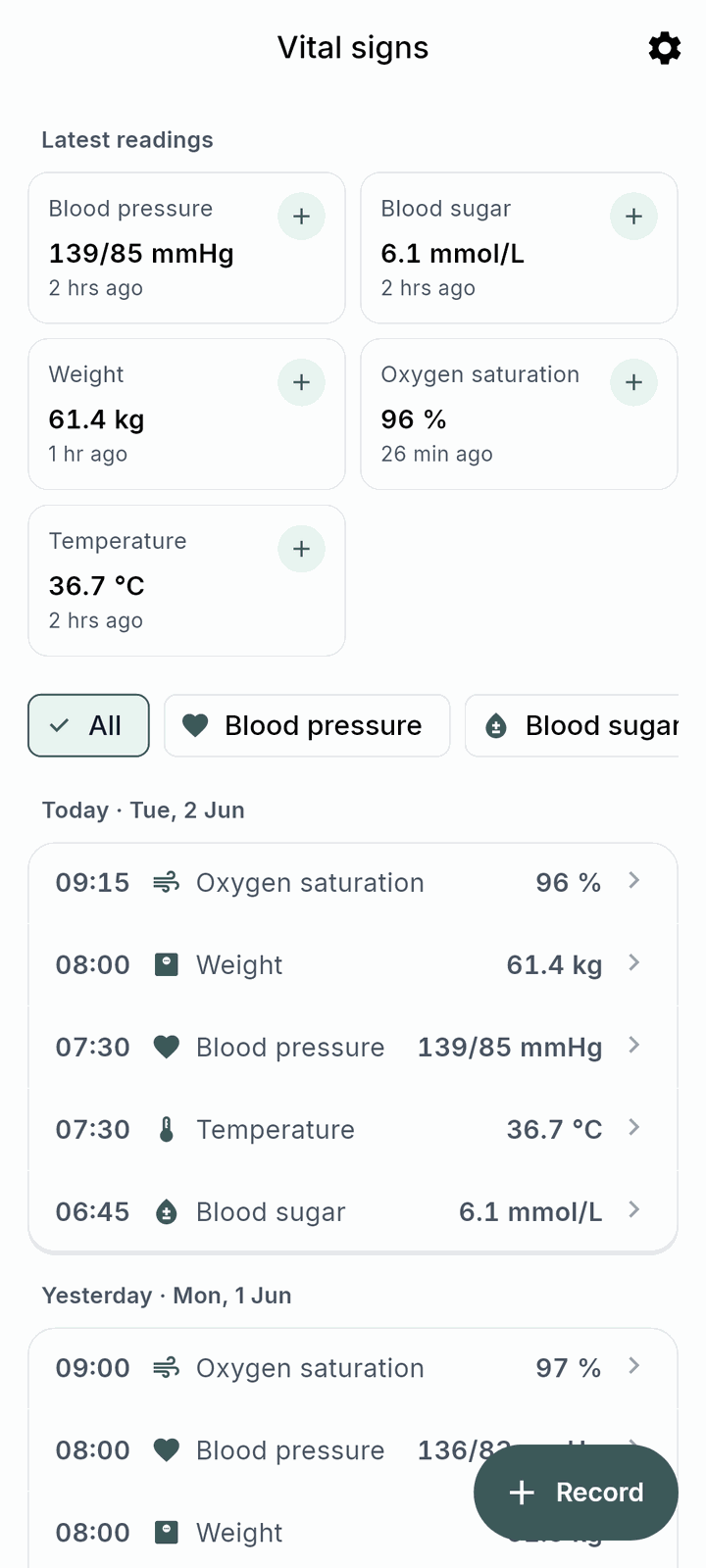
Blood pressure, blood sugar, weight, oxygen saturation, temperature: in the settings you choose which readings you need. You log medication with name, amount and unit, regular medicines as a template. Add to that fluid intake, how much of each meal was eaten, and pain episodes with intensity, location and trigger.
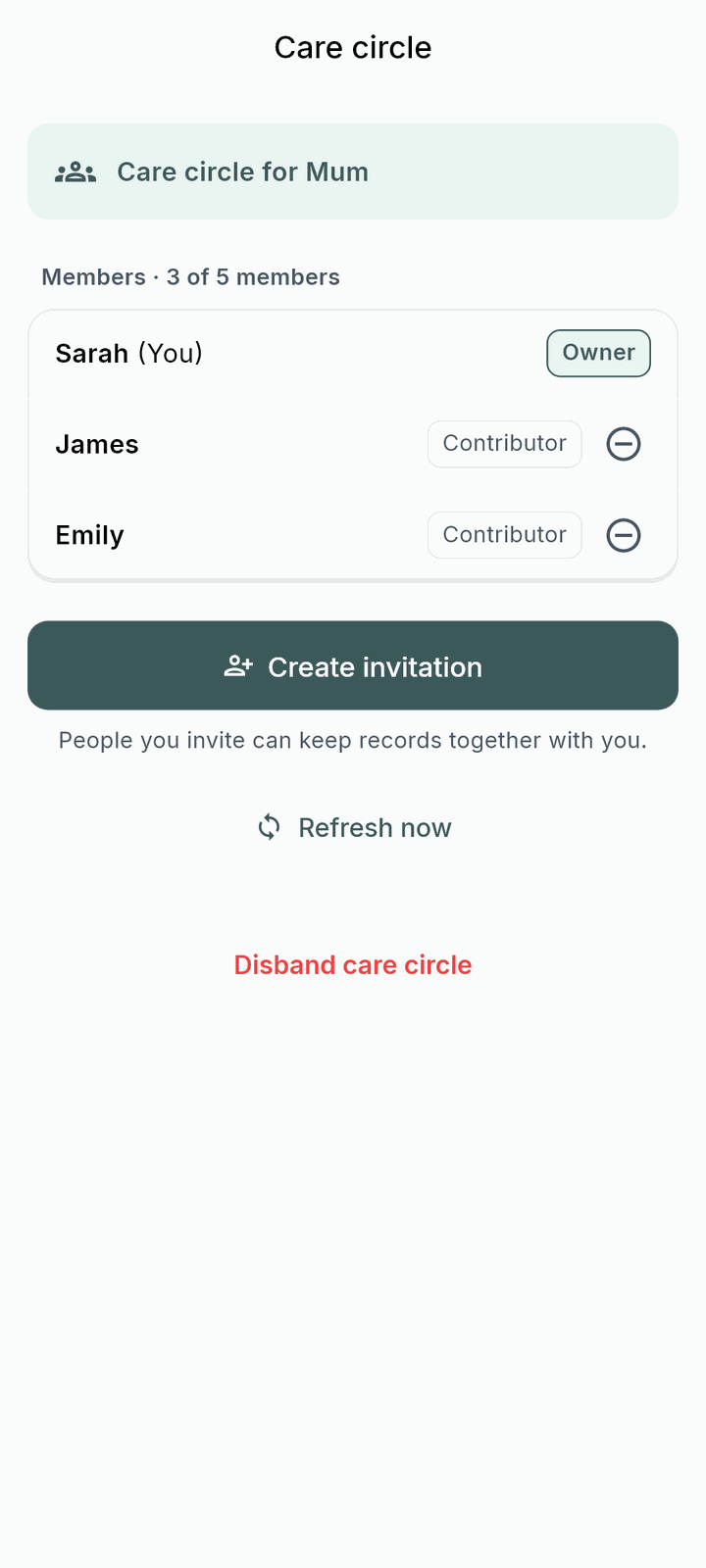
Sharing the caring? Invite your brothers, sisters, partner or a neighbour to the care circle. Everyone writes in the same care diary, and every entry shows who wrote it. So everyone knows what has already happened today.
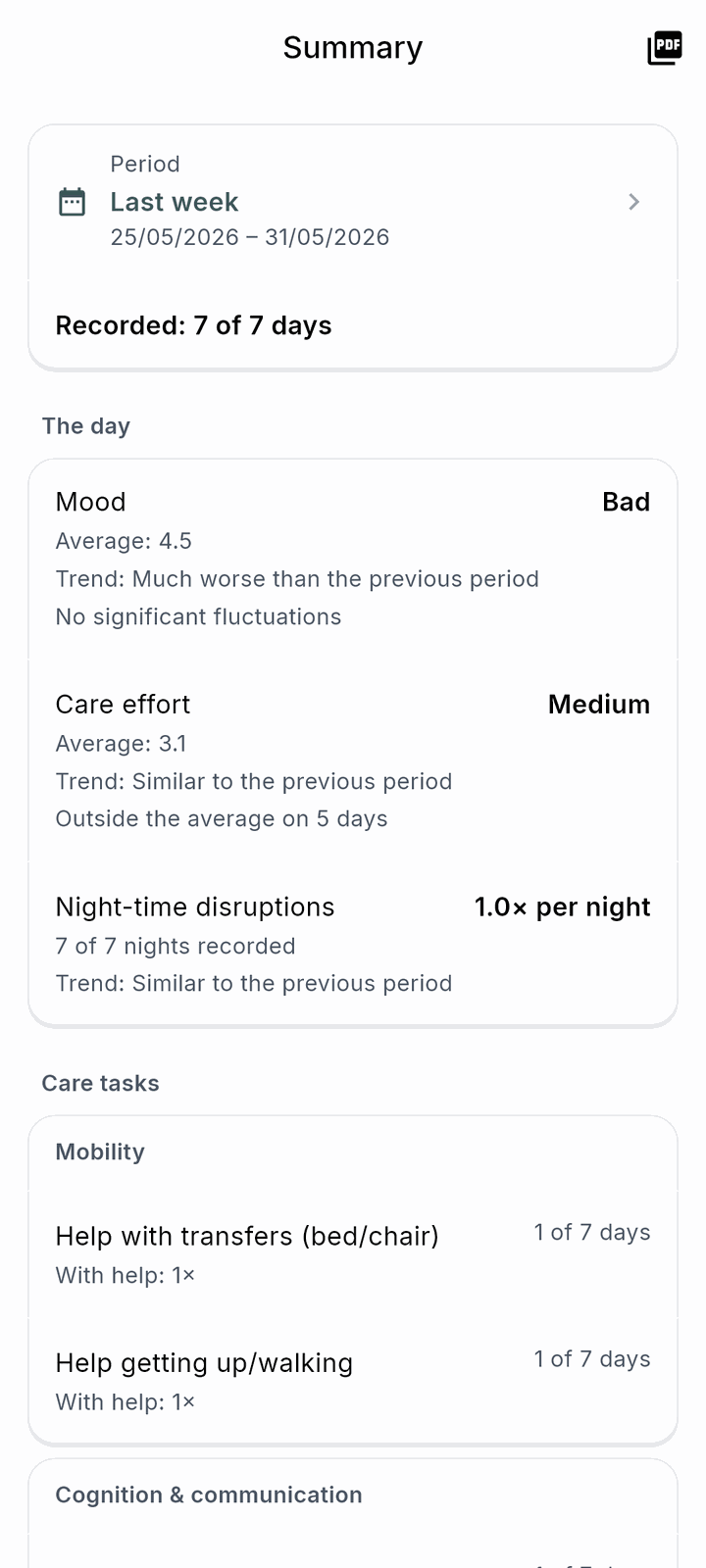
The app automatically lines up your entries: trends for mood, blood pressure, oxygen saturation and fluids, how much was eaten, when and where there was pain, and all the week’s care tasks and medication. You don’t have to work anything out.
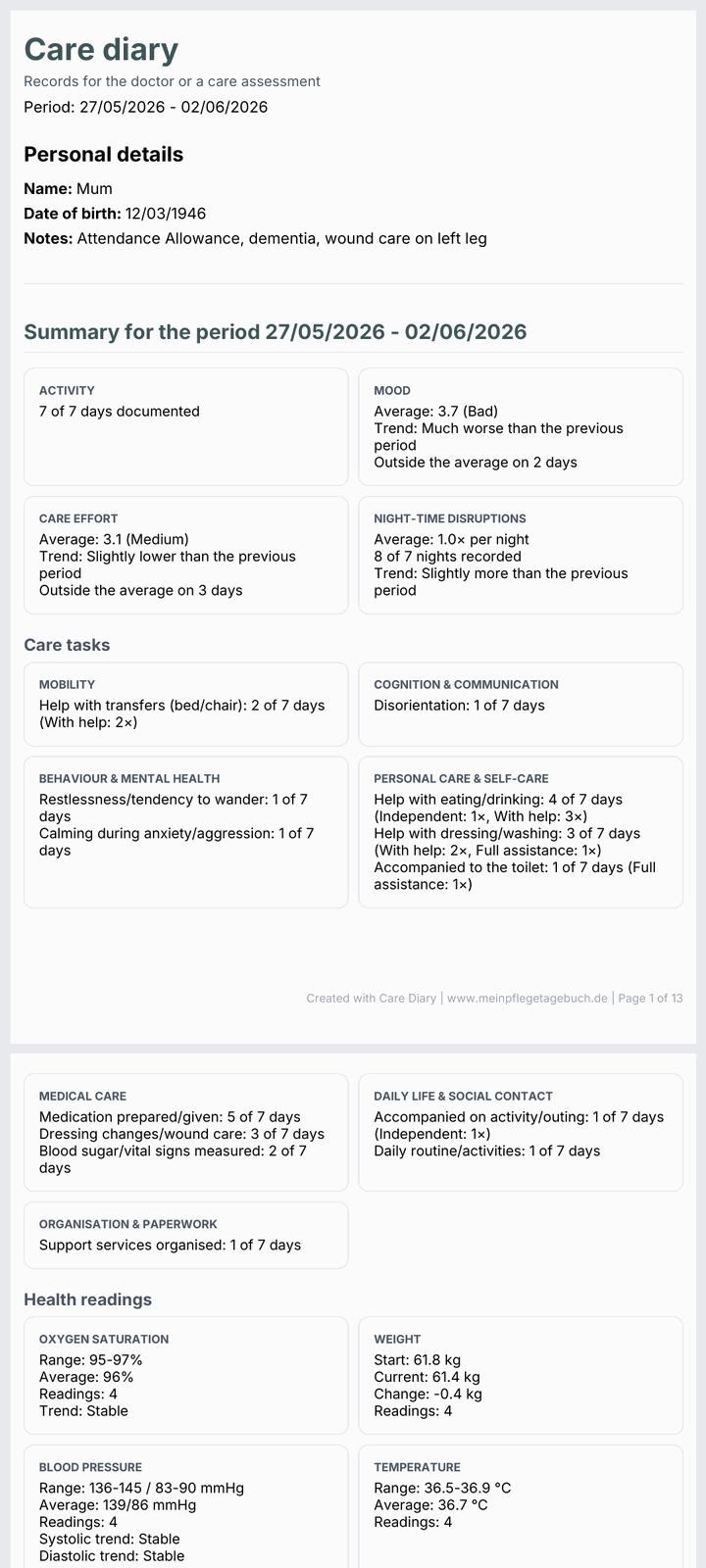
With one tap you create a neatly laid-out report: summary, overview of events, medication, level of independence. Print it or share it straight away.
Without cloud backup or a care circle, all data is stored only on your phone. No account, no tracking: the app works completely offline and is GDPR compliant.
If you use the cloud backup or the care circle (Premium), the data is encrypted on your phone before it is sent. It is stored on a server in Frankfurt (Germany); only you and the people in your care circle can read it, not us. There’s more in the privacy policy.
All core features stay free. Premium adds four things for people who use the app a lot. You can see the current price in the App Store or on Google Play.
Premium Family includes everything in Premium. The difference is the size of the care circle: you can invite up to four people instead of one, for example siblings, your partner and a neighbour. Premium and Premium Family compared.
All core features: entries with voice input and photos, mood, care tasks with level of independence, medication, vital signs, fluid intake, meals, pain diary, night-time disruptions, weekly summary and the PDF export of the last 7 days. No ads, no account.
An end-to-end encrypted cloud backup, PDF export for any period, separate care diaries for several people you care for and the care circle, where you keep the diary together with one other person. With Premium Family it’s up to four. You get the key for the backup as a QR code: it stays with you, not on a server. Nobody but you can read your entries.
Yes, the app is constantly being developed, often based on wishes that come in via contact and support. Recent additions include the care circle for keeping the diary together, meals, the pain diary, several people you care for, your own care tasks with level of independence and medication templates.
Download the app and make your first entry. You’ll never walk into a conversation without an overview again.


Free. No ads. No account.
No more scraps of paper: with the free care diary app you record the care for someone close to you in 30 seconds and hav…
Find out more →Download Care Diary for free on iPhone and Android. Installed in a minute, no account needed, and your first entry is do…
Find out more →Caring for an elderly parent means a hundred small things a day. How a simple care diary gives you the overview back, fo…
Find out more →